
Life
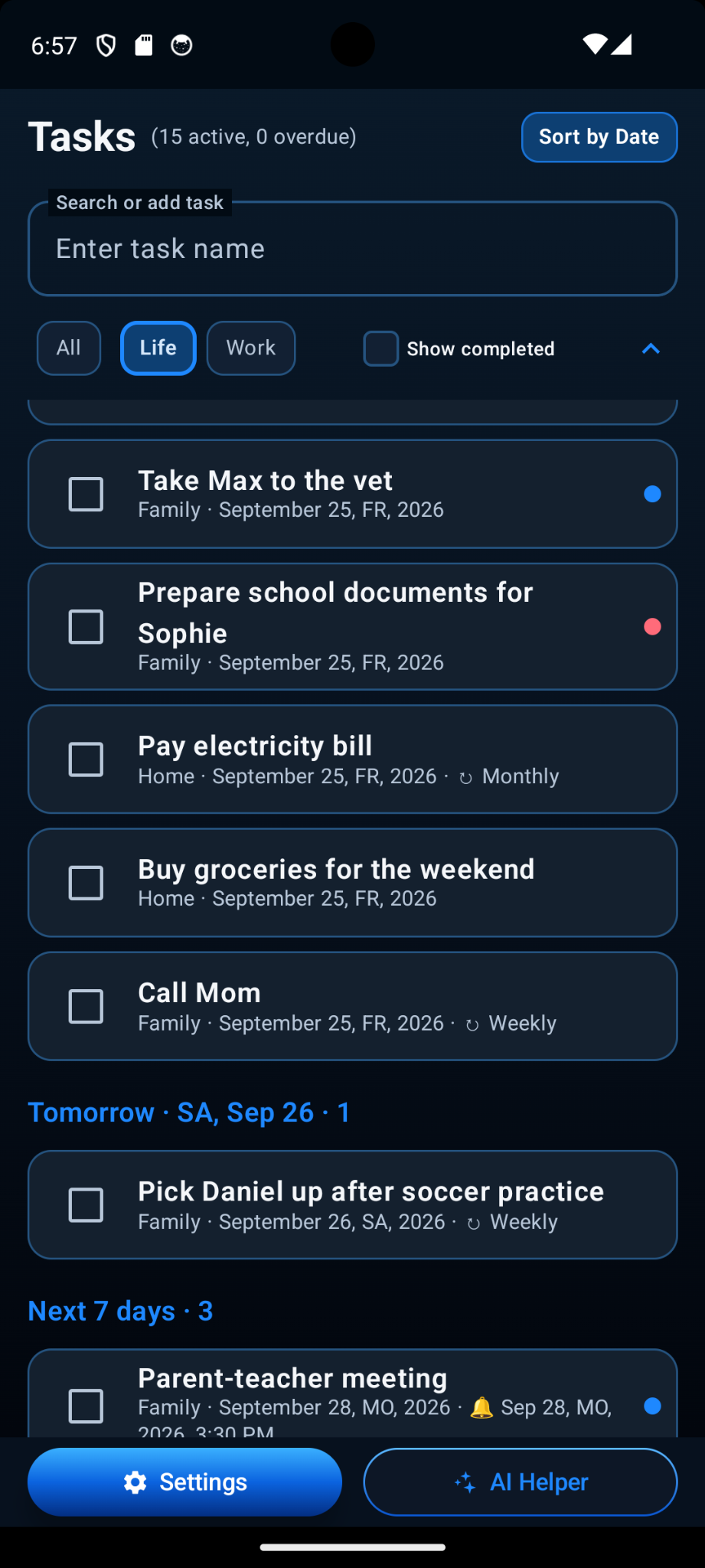
Designed for date-oriented personal planning, from family and home tasks to errands, reminders and recurring responsibilities.
Plan personal and professional tasks in one Android app. Organize them with projects, dates, reminders, repeat rules, rich task details, history, portable backups, widgets and optional AI-assisted editing.
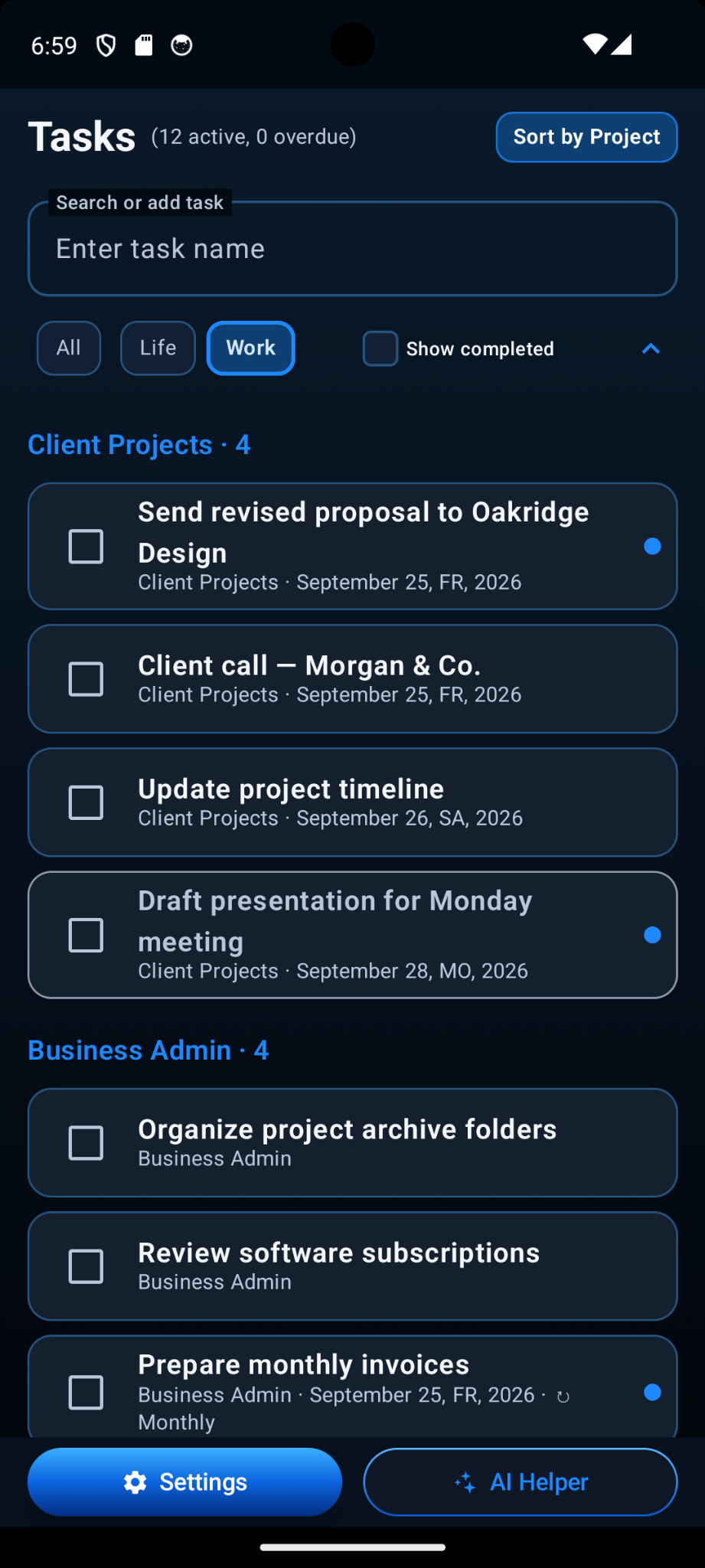
SkyCatsTask keeps personal and professional planning in the same local task database while separating day-to-day work into two permanent areas: Life and Work. Use All when you want one combined view.
Designed for date-oriented personal planning, from family and home tasks to errands, reminders and recurring responsibilities.
Can be grouped by project, making it easy to see what belongs to each client, business activity or ongoing project.
A task can be as simple as a title or as detailed as the work requires. The full-screen editor keeps longer tasks comfortable to review and edit.
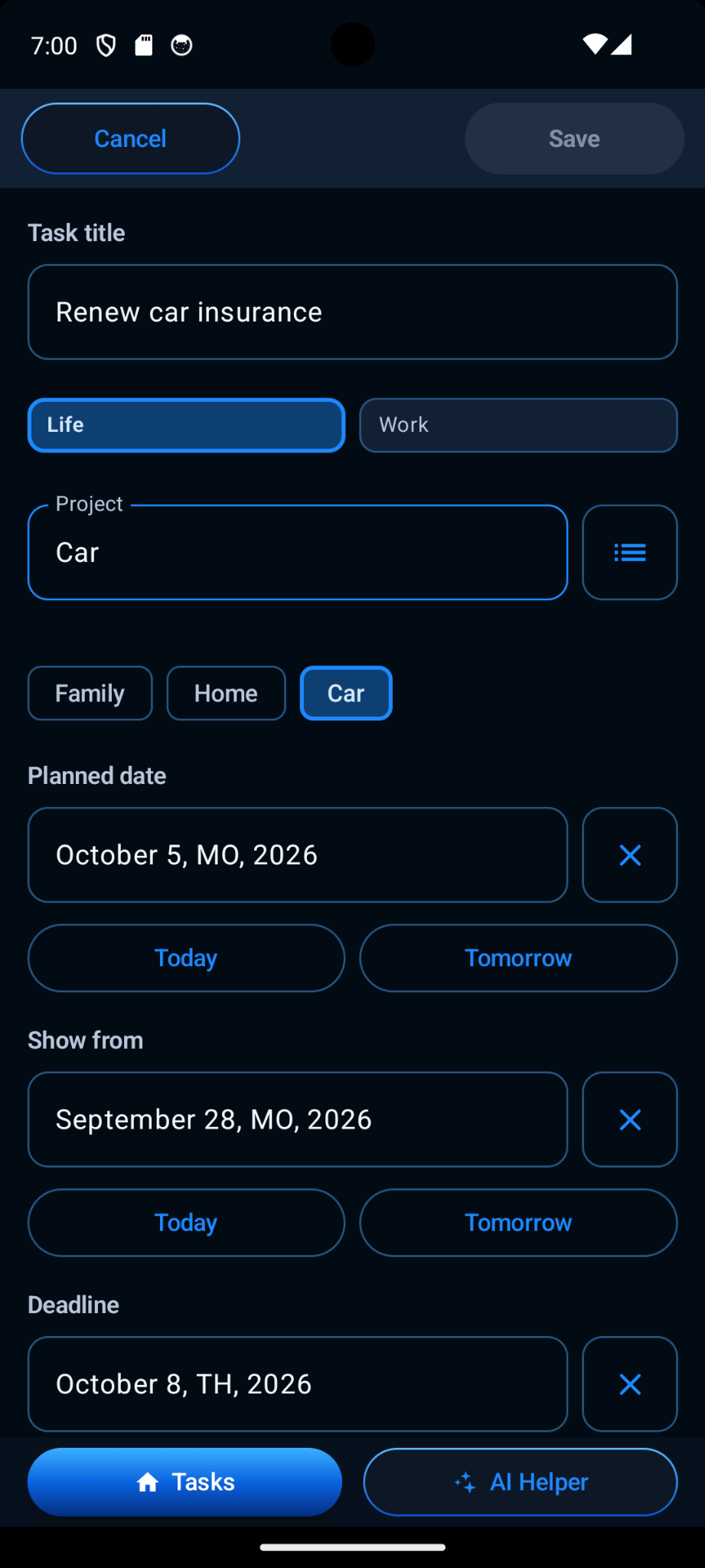
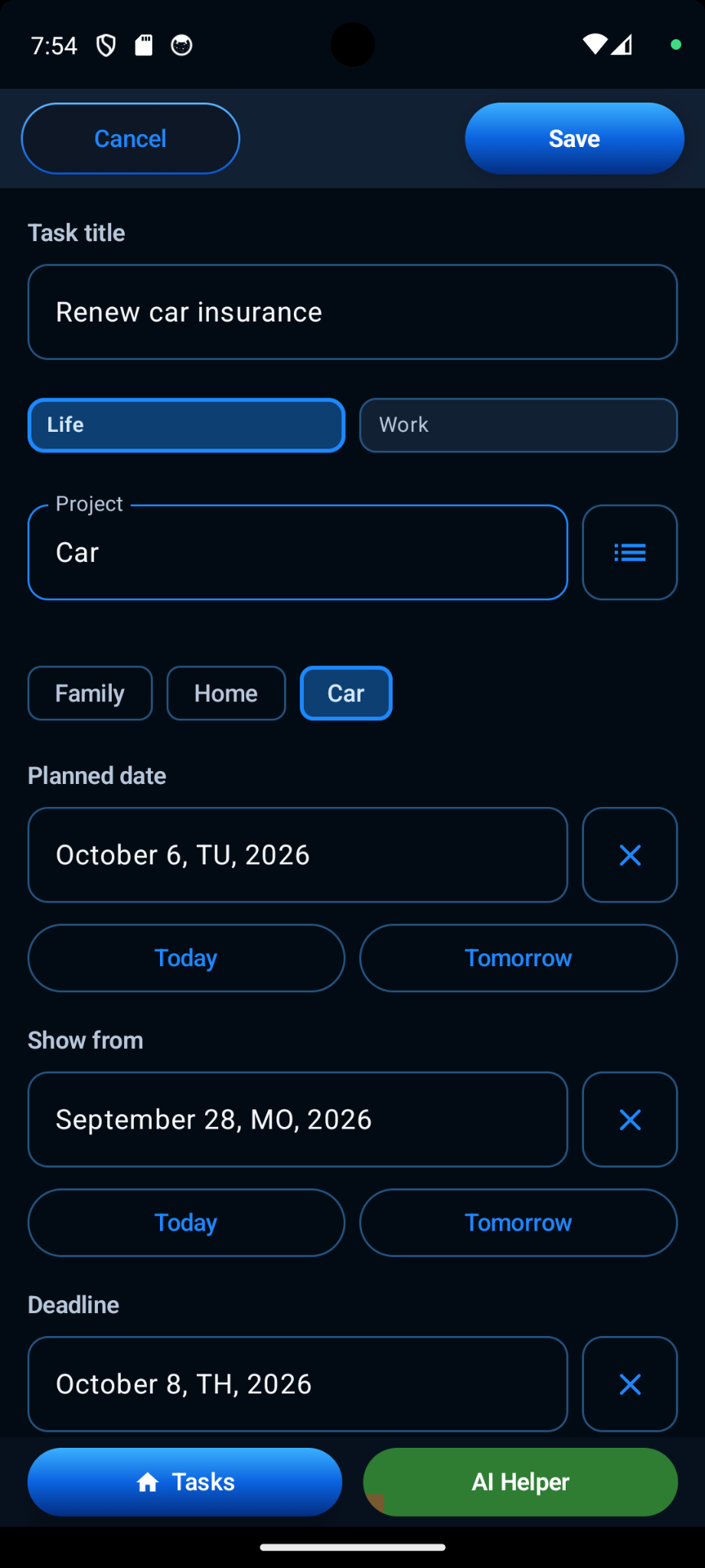
Assign a task to Life or Work, choose a one-level project and set a priority when needed.
Show from controls when a task enters active planning, Planned date is when you intend to do it, and Deadline is the final date.
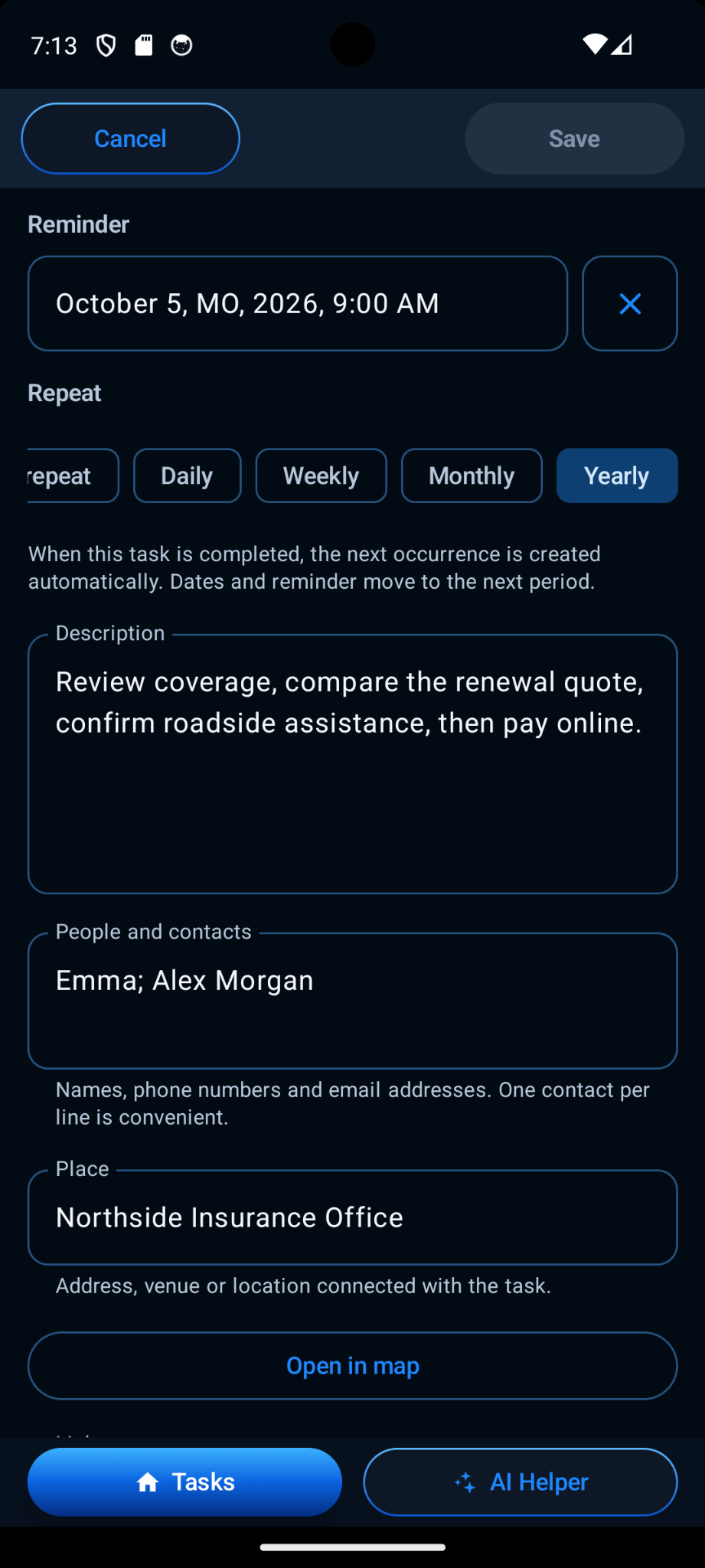
Add Android reminders and repeat tasks Daily, Weekly, Monthly or Yearly.
Keep names, contact details and a place directly with the task.
Store web links with the task and open them when you need the related page or service.
Add the notes and context needed to complete the task without turning the title into a paragraph.
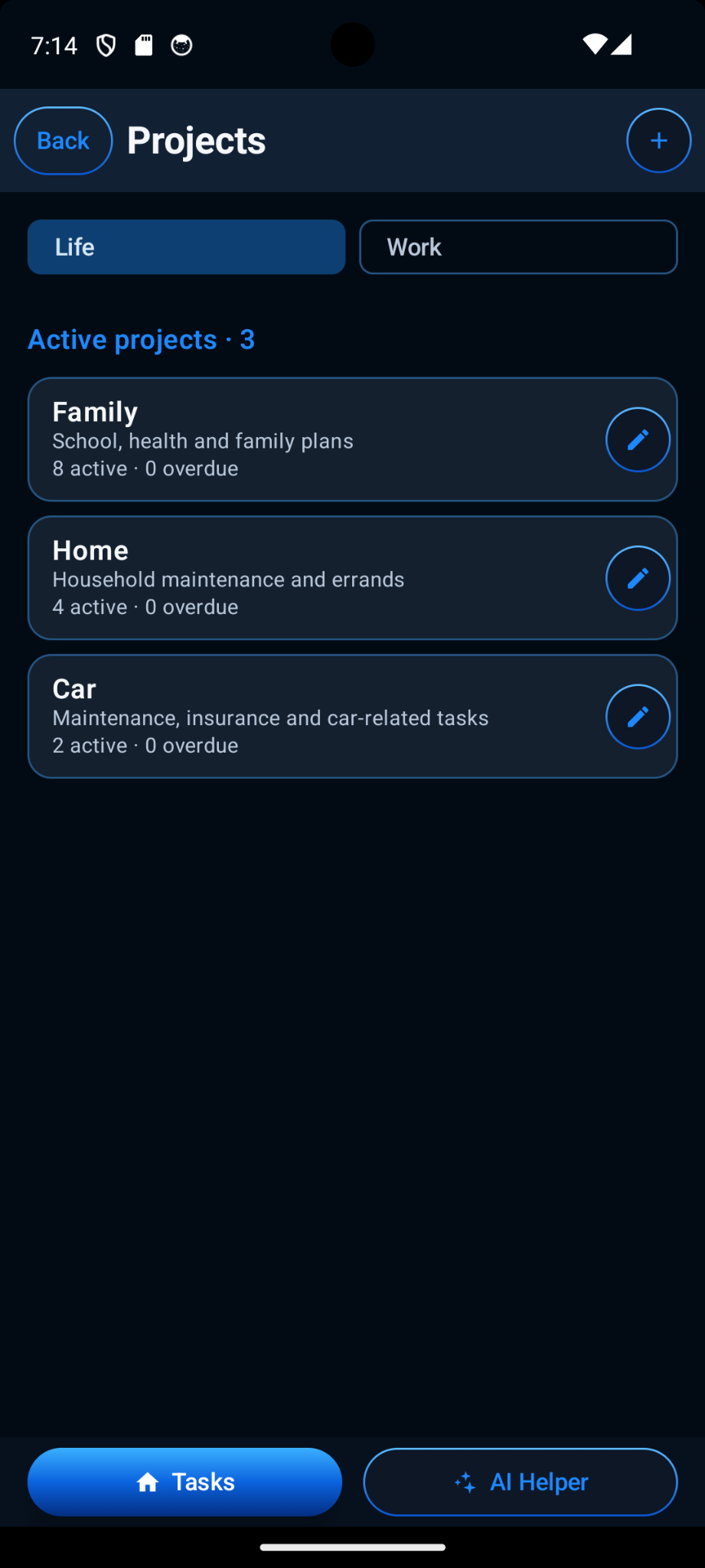
Projects are one level deep and easy to manage. If a project still contains tasks, SkyCatsTask lets you reassign those tasks before deleting the project instead of silently deleting the work inside it.
While editing a task, AI Helper can apply natural-language voice commands directly to the current draft. You can ask it to change dates or priority, add or remove a reminder, or update other supported fields. The changed task remains in the normal editor so you can review it before saving.
AI Helper is optional and uses the user's own OpenAI API key. Core task management works without AI Helper.
When AI Helper is used, the information needed to process the command is sent directly from the device to OpenAI. SkyCatsLab does not run an intermediary AI server for this feature.
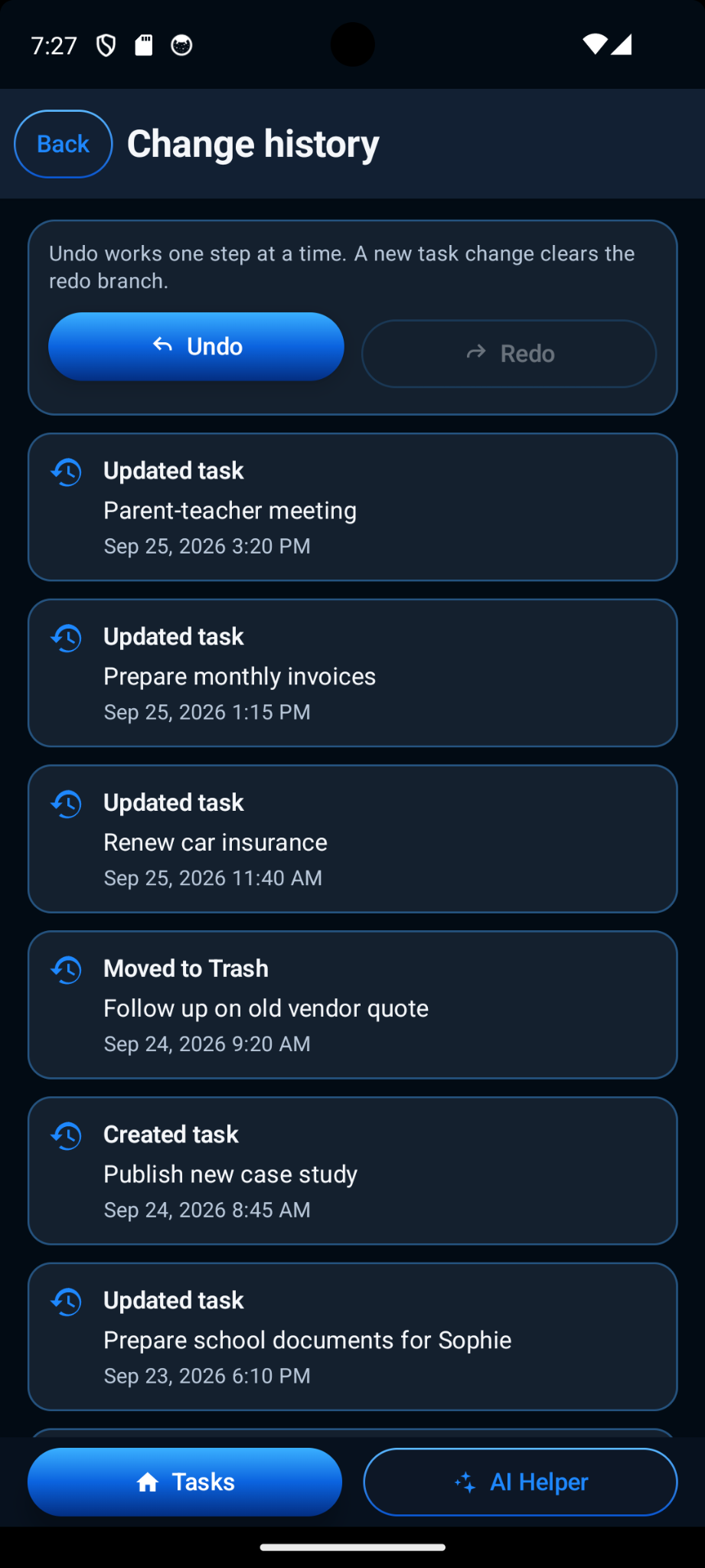
SkyCatsTask keeps a change history for supported actions and provides multi-step Undo / Redo. Deleted tasks go to Trash, where they can be reviewed and restored instead of disappearing immediately.
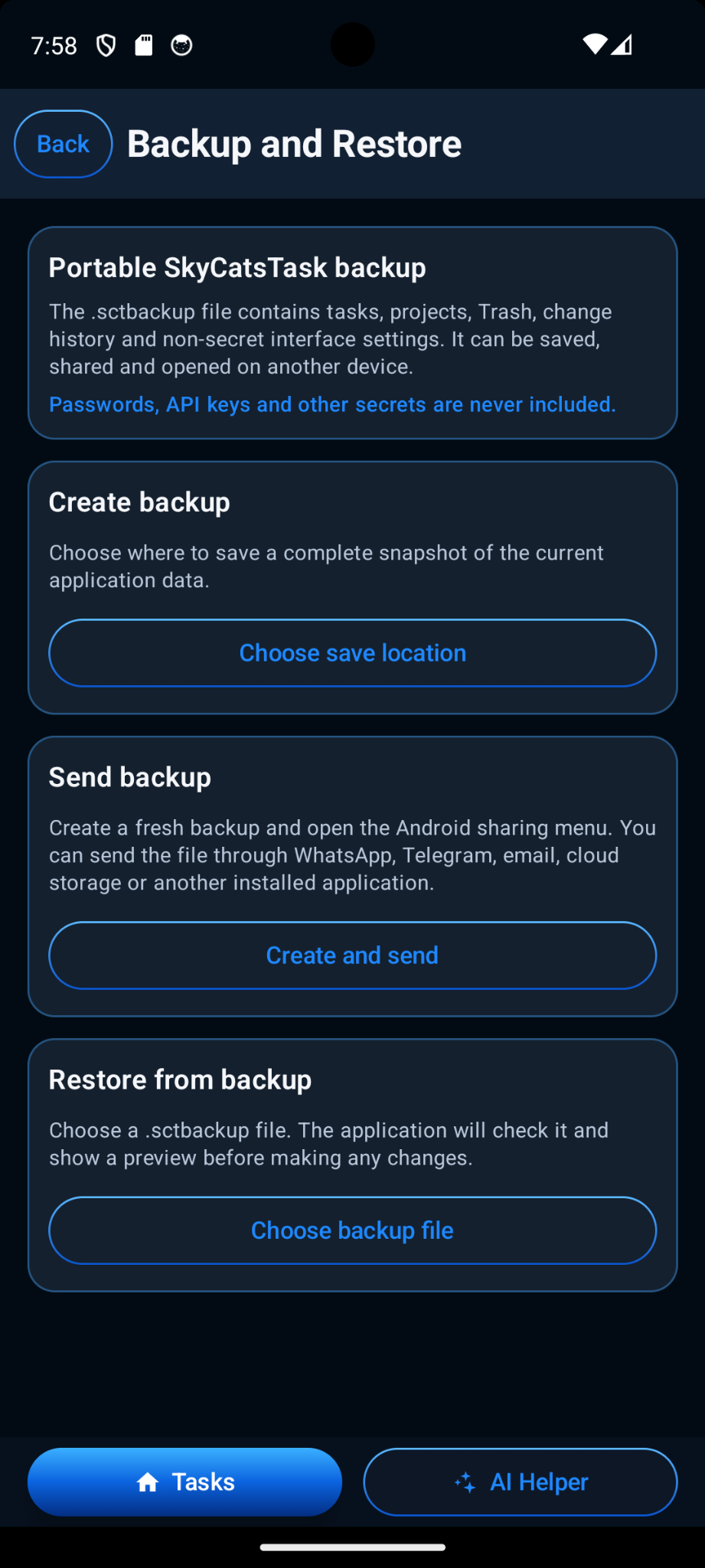
Create a portable .sctbackup file and save it where you choose. Backups can include tasks, projects, Trash data, change history and supported non-secret settings. Passwords, the OpenAI API key and other application secrets are excluded.
SkyCatsTask checks a selected backup and shows a preview before replacing application data.
Import unfinished tasks from a 2Do CSV export with a preview-first, additive workflow and duplicate protection.
Separate Life and Work widgets can independently follow System appearance or use Light or Dark.
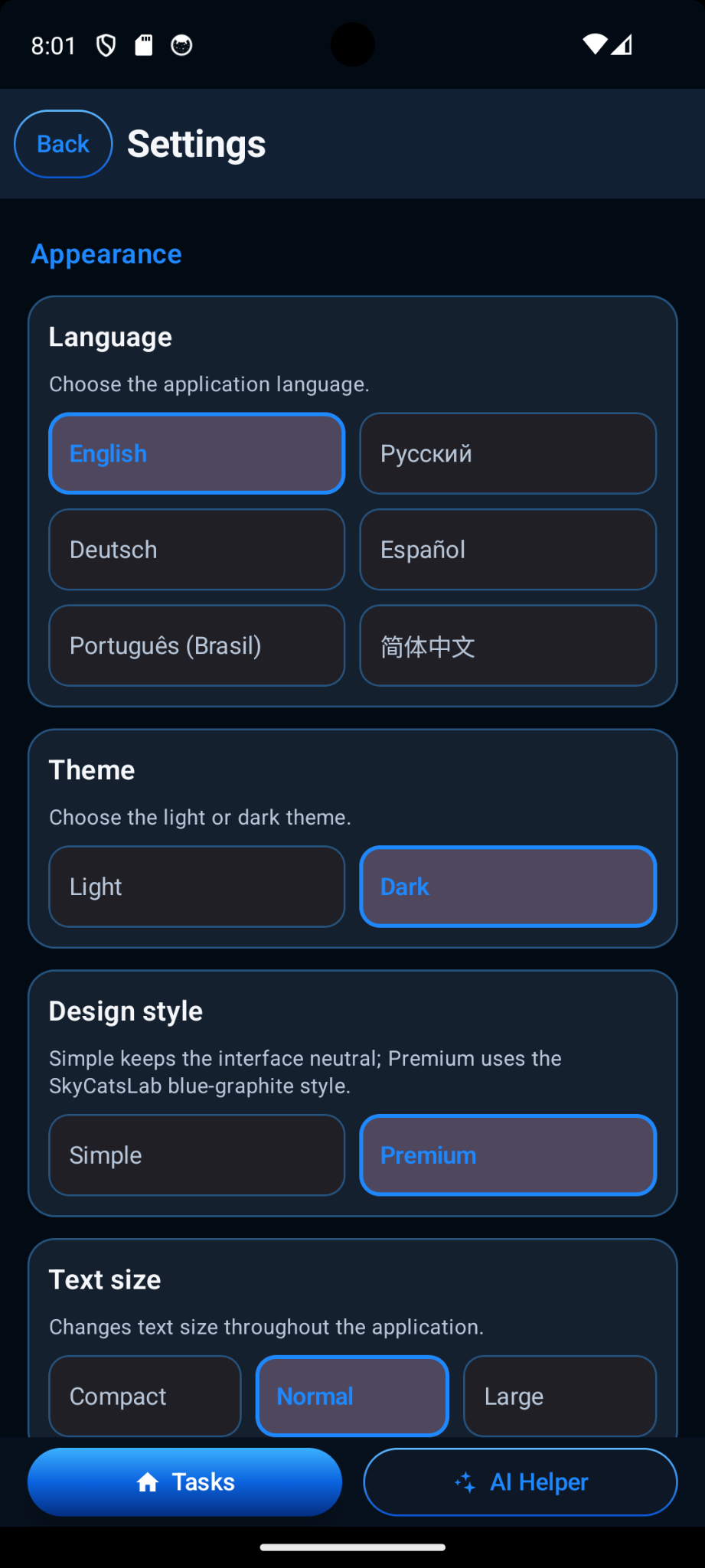
SkyCatsTask supports six interface languages plus Light / Dark themes, Simple / Premium design and Compact / Normal / Large text sizes. The permanent area names Life and Work remain unchanged across languages.
English · Русский · Deutsch · Español · Português (Brasil) · 简体中文
Light or Dark theme · Simple or Premium design · Compact, Normal or Large text size.
Normal task management is local-first and does not require a SkyCatsLab account or a SkyCatsLab cloud task database. Optional AI Helper is the main network-connected feature and is clearly separated from the core local workflow.
Package: com.skycatslab.skycatstask
Current version shown in the app: 1.0 (1).
Questions about the product can be sent through the official SkyCatsLab support page.